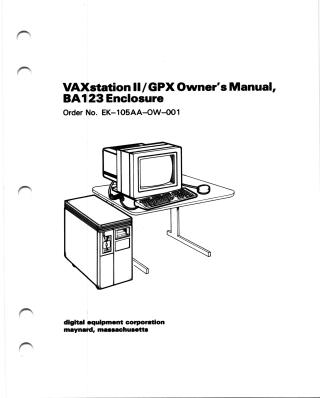
VAXstationII/GPX Owner's Manual, BA123 Enclosure
Order Number: EK-105AA-OW
This document is the VAXstation II/GPX Owner's Manual, BA123 Enclosure, published by Digital Equipment Corporation in 1986, revised 1987.
Its primary purpose is to guide users with little or no experience through the installation, operation, and troubleshooting of the VAXstation II/GPX workstation system.
The manual describes the VAXstation II/GPX as a stand-alone, 32-bit workstation based on the MicroVAX II processor, featuring a color monitor, keyboard, mouse or tablet, and supporting various storage options (tape, diskette, fixed-disk drives). It emphasizes its Graphics Processing Extension (GPX), which offloads graphics tasks and supports 4-plane (16 colors) or 8-plane (256 colors) video subsystems. The system runs on ULTRIX-32m or MicroVMS operating systems and can be connected to Ethernet networks.
The document is structured into six main parts:
- Part I (Base System Installation): Covers pre-installation site preparation (space, electrical, environment) and detailed instructions for setting up the hardware, including the monitor, keyboard, pointing devices, power connections, and network connections (Standard and ThinWire Ethernet).
- Part II (Operation): Explains the system's controls and indicators, procedures for turning the system on and off, and handling fixed disk, tape, and dual diskette drives.
- Part III (Options): Describes various optional hardware components such as printers (LN03, LA210, etc.), plotters, input devices (tablet, mouse), memory modules, video subsystems, additional storage devices, and communication modules (modems, multiplexers, line controllers), with notes on their installation.
- Part IV (Troubleshooting): Provides procedures for diagnosing and resolving common system problems, including power-up messages, issues with the system unit, drives, monitor, and pointing devices. It also covers fuse replacement and mouse maintenance, and introduces the MicroVAX Diagnostic Monitor for deeper diagnostics.
- Part V (Appendixes): Includes detailed system specifications (electrical, environmental, monitor, mouse, tablet, disk drives, tape drives) and lists related documentation.
- Part VI (Glossary): Defines key computer terms used within the manual.
The manual advises users on safety precautions and recommends contacting Digital's service representatives for issues that cannot be resolved using the provided troubleshooting steps.
Related Documents
Site structure and layout ©2025 Majenko Technologies