DECWRITER II
Order Number: EK-LA3635-OP
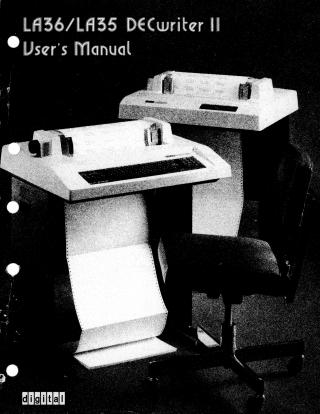
This document serves as a comprehensive user's manual for the DECwriter II, covering both LA36 and LA35 models. It is designed as a guide for operating, installing, maintaining, and troubleshooting these medium-sized, low-cost interactive data communication terminals/printers.
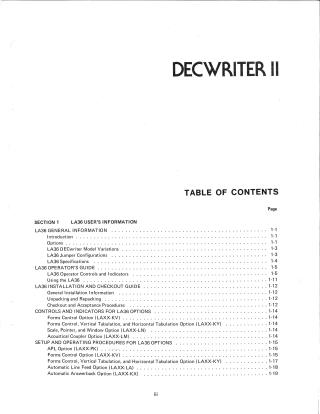
The manual begins with General Information for both LA36 and LA35, detailing their functional options, model variations, jumper configurations, and technical specifications (e.g., printing speed, character sets, paper handling, interface types, power, and environmental conditions).
The Operator's Guide sections walk users through the basic controls and indicators, including power, line/local mode, full/half duplex, baud rate settings, character set selection, and various keyboard functions like repeat, return, line feed, and backspace. It also explains physical adjustments for carriage, paper advance, and tractor controls. A step-by-step procedure for bringing the terminal online is provided.
Detailed Installation and Checkout Guides are included for the base units and numerous optional kits. These sections cover unpacking, repacking, initial setup, and verification procedures for options such as:
- Expander Option Mounting Kit (LAXX-LB)
- APL/ASCII Dual Character Set (LAXX-PK)
- Forms Control (LAXX-KV)
- Forms Control, Vertical and Horizontal Tabulation (LAXX-KY)
- Automatic Line Feed (LAXX-LA)
- Selective Addressing (LAXX-KW)
- Automatic Answerback (LAXX-KX)
- EIA/CCITT Interface (LAXX-LG)
- 14-Key Numeric Pad (LAXX-KE)
- Compressed Font (LAXX-KJ)
- Paper Out (LAXX-KZ)
- 20 mA Cable Options (LAXX-LH, LAXX-LK)
- Scale, Pointer, and Window (LAXX-LN)
- DF11 Adaptor Kit (LAXX-KH)
- Acoustical Coupler (LAXX-LM)
The Common Information section provides practical guidance on loading paper, changing ribbons, adjusting impression and paper positioning, understanding the DECwriter's interface specifications, and a programmer's guide to ASCII codes for transmitting and receiving characters and commands. It concludes with operator care instructions, packing/repacking procedures, and a Troubleshooting Guide to help diagnose and resolve common issues.
Finally, the Installation, Warranty, and Service Information section outlines various DIGITAL service options, including on-site repairs, off-site repair centers, spare parts, and training, along with their associated terms and locations.
Site structure and layout ©2025 Majenko Technologies