PDP-9 Basic Exerciser
Order Number: MAINDEC-9A-D7AD-D
Information Extraction Plan:
- Title: Look for "Product Name" on the first page. Re-capitalize if all caps.
- Order Number: Look for "Product Code" on the first page.
- Summary: Read the "ABSTRACT" section (page 3) and key sections like "OPERATING PROCEDURE" and "PROGRAM DESCRIPTION" to understand the document's purpose, scope, and main functions.
Executing Information Extraction:
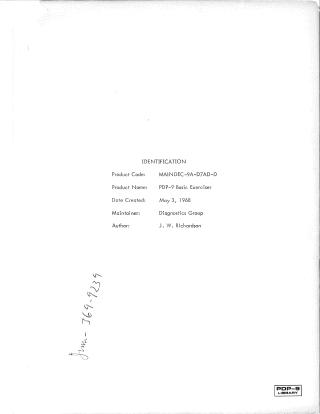
Page 1 (Image 1):
- "Product Name: PDP-9 Basic Exerciser" -> Title: "PDP-9 Basic Exerciser" (already capitalized correctly)
- "Product Code: MAINDEC-9A-D7AD-D" -> Order Number: "MAINDEC-9A-D7AD-D"
Page 3 (Image 3):
- ABSTRACT: "The PDP-9 Basic Exerciser is designed to exercise the CP, core memory and I/O devices associated with a basic PDP-9 configuration. Once initiated, the program will perform tests on all operate and memory reference instructions, tests on the adder, memory checkerboard patterns, tests on the real-time clock, punch, reader, Teletype and program interrupt."
- "The Basic Exerciser contains a condensed version of the PDP-9 Instruction Test, Parts 1 and 2, and a memory checkerboard test similar to the PDP-9 Basic Memory Checkerboard Test."
- "These tests run continuously, and are interrupted by the punch, reader or Teletype at a device rate. The real-time clock will interrupt and suspend all operations at random time intervals. The instruction test or I/0 devices resume operations after the clock interrupt has been serviced."
- It lists 9 functions enabled by the ACS (Automatic Control Sequence) button, primarily involving inhibiting and running various real-time clock, program interrupt, punch, read, print sequence operations, and memory tests (including loop continuously on adder test, memory checkerboard test).
2. EQUIPMENT: A basic PDP-9 configuration.
2.2 STORAGE: Program requires all 8K of core memory, occupies locations 00000 to 07730 in the lower 4K field, and locations 10022 to 17730 when relocated to the higher 4K field.
3. LOADING PROCEDURE: Details how to load the tape.
4. STARTING PROCEDURE: Details how to start the program (addresses 22 or 10022).
- 4.2 OPERATOR ACTION: Describes setting ACS switches to 22, placing all ACS down for normal program operation (details in 5.1), pressing I/O RESET and START. Explains how a leader is punched. For restarting after an error halt, set ACS to 26.
5. OPERATING PROCEDURE:
- 5.1 Operational Switch Settings (ACS Functions):
- 0 (1): Run real-time clock, punch, read, print sequence plus real-time clock. Program interrupt will be enabled.
- 1 (1): Inhibit punch, read, print sequence. Program interrupt disabled. Real-time clock test performed.
- 2 (1): Loop continuously on "add random pairs" test. Real-time clock, punch, read, print sequence plus program interrupt enabled unless specified by an ACS.
- 3 (1): Loop continuously on memory checkerboard test. Program relocation occurs if not explicitly set by ACS 2.
- 4 (1): Inhibit program relocation. Unless specified, program runs in normal way, but will not relocate from its current 4K field.
- 5 (1): Inhibit clock. Unless specified, program action is normal except that the clock should always be off.
- 6 (1): Inhibit reader and TTY. Punch will run continuously. Tape must be in the reader. Program action is normal unless otherwise specified.
- 7 (1): Inhibit punch and TTY. Reader will run continuously. A loop or fan-fold tape with data may be used. Program action is normal unless otherwise specified.
- 8 (1): Inhibit punch. Reader will read 52 characters at full speed. TTY will then print 52 characters. Any tape loop or fan-fold tape may be used. Program action is normal unless otherwise specified.
- Combinations of ACS 2 and 3 can be used for "add random pairs" and memory checkerboard tests.
- 5.1 Operational Switch Settings (ACS Functions):
5.2 Subroutine Abstracts:
- The PDP-9 Basic Exerciser is divided into three parts: instruction and memory tests; punch, read, print sequence; and real-time clock operation.
- 5.2.1 Instruction and Memory Tests:
- "Add Random Pairs" test: tests the adder using one pair of random numbers (A and B) and their complements. It generates various sums and their complements. If the ADD is successful, the program continues testing all other bit positions.
- "Memory Checkerboard Test": writes and reads four different checkerboard patterns. Test is looped three times before program relocation. After relocation, it performs memory reference instructions and relocates itself to the opposite 4K field.
- "Punch, Read, Print Sequence": The instruction and memory tests are interrupted by device rate (punch, reader, Teletype). It describes the process of punching alphanumeric characters, reading tape, and printing.
- "Use of the Real Time Clock": Clock interrupts happen randomly. The program allows clock to continue incrementing for 1/2 second after interrupt occurs. The console indicators show clock and PIE as being disabled and punch, read, print sequence halted for several seconds during which a new random value is generated.
- "Interrupt Service Routine": Explains how various interrupts (clock, punch, reader, Teletype) are serviced. It saves AC and PC, stores AC contents in SAVAC, and PC in RJMP. Restores on exit.
6. ERRORS:
- 6.1 Error Halts and Description: Lists error tags (SAVAC, RJMP, WORK, GOPNCH, SETCLK, CLKSET, TTOUT, TTIN) and their functions (e.g., SAVAC saves AC contents after program interrupt).
- 6.2 Error Recovery: Pressing CONTINUE after a halt attempts to continue or re-execute the current test (e.g., in "Add Random Pairs" or "Memory Checkerboard" tests).
7. OPERATING RESTRICTIONS: All diagnostics should be run before attempting this program.
8. MISCELLANEOUS:
- 8.1 Execution Time: Approximately 1-1/2 minutes to execute all tests for one 4K field.
9. PROGRAM DESCRIPTION: Reiterate the overall program operation.
- The Basic Exerciser operates on all operate and memory reference instructions plus core memory.
- Normal operation involves real-time clock, punch, reader, and Teletype and program interrupts running instruction tests.
- Clock interrupt occurs every 1/2 second (due to clock counts), causing MB indicators to update.
- When punch, read, and print sequence is operating with the instruction test inhibited (ACS 0 up), the MB will indicate a constant 600132 (JMP 132).
- The instruction test is a condensed version of MAINDEC
Site structure and layout ©2025 Majenko Technologies