Digital Alpha VME 2100 Read Me First
Order Number: EK-DALDC-IS
This document, "READ ME FIRST" for the Digital Alpha VME 2100 system, provides essential information for system compatibility, installation, configuration, and hardware adjustments.
Key points include:
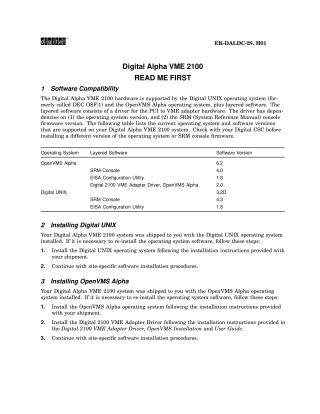
- Software Compatibility: It outlines supported versions of Digital UNIX and OpenVMS Alpha operating systems, along with layered software like the Digital 2100 VME Adapter Driver, SRM Console, and EISA Configuration Utility, highlighting dependencies on OS and SRM firmware versions.
- OS Installation: Provides steps for re-installing Digital UNIX and OpenVMS Alpha (which are typically pre-installed) if necessary.
- Firmware and Utility Installation/Running: Details the complex procedures for installing console firmware and running the EISA (ECU) or RAID (RCU) Configuration Utility. Both processes require powering down the system, physically removing the PCI-to-VME daughter board, performing software steps, and then reinstalling the daughter board.
- PCI Address Space Configuration: Explains how to adjust the PCI address space on the VME daughter board using J20 and J21 jumpers. This allows reducing the allocated PCI address space from the default 64 MB down to 8 MB to accommodate PCI devices requiring specific address ranges.
- Errata: Includes corrections to the Digital Alpha VME 2100 Owner's Guide, specifically clarifying information about the optional front bezel parts kit.
Site structure and layout ©2025 Majenko Technologies