Compaq Storageworks Installing an HSG80 or HSZ80 Array Controller
Order Number: EK-80CTL-IN
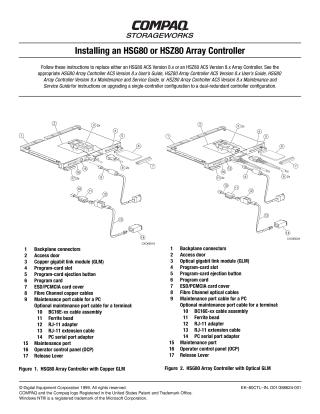
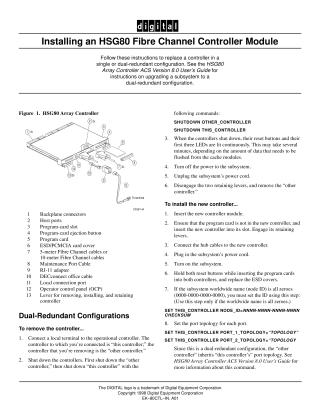
This document provides step-by-step instructions for replacing Compaq HSG80 or HSZ80 Array Controllers (ACS Version 8.x) in both single and dual-redundant configurations. It outlines procedures for removing an existing controller and installing a new one, with slight variations depending on the specific ACS version.
Key procedures covered include:
Removing a Controller:
- Connecting to the controller's maintenance port.
- Dismounting logical units from the host and shutting down the server (for Windows NT).
- For dual-redundant setups, disabling failover (
SET NOFAILOVER) and shutting down both controllers (typically "other" then "this" controller usingSHUTDOWNcommands orRUN FRUTILmenus). - Ensuring device ports are quiesced to prevent data loss.
- Physically removing the program card, disconnecting host bus cables or trilink connectors, and then the controller itself, while strictly observing Electrostatic Discharge (ESD) precautions.
Installing a Controller:
- Adhering to ESD precautions and ensuring proper alignment to prevent backplane damage.
- Inserting the new controller into its slot (often without the program card initially).
- For dual-redundant setups, using the
RUN FRUTILutility to guide the installation. - Reconnecting host bus cables or trilink connectors.
- Inserting the program card (sometimes while holding the reset button) and replacing the ESD cover.
- Post-installation configuration, which may include purging old configurations (if the controller was previously used in another subsystem), installing patches, mounting logical units, and setting subsystem date/time.
- For dual-redundant configurations, re-enabling failover and copying the subsystem's configuration (
SET FAILOVER COPY=THIS_CONTROLLER).
The document repeatedly emphasizes ESD precautions and proper physical alignment as critical to prevent hardware damage. Users are advised to consult the relevant HSG80/HSZ80 Array Controller User or Maintenance Guides for detailed configuration specific to their exact version.
Site structure and layout ©2025 Majenko Technologies