StorageWorks EMU Installation Guide
Order Number: EK-35XEB-IG
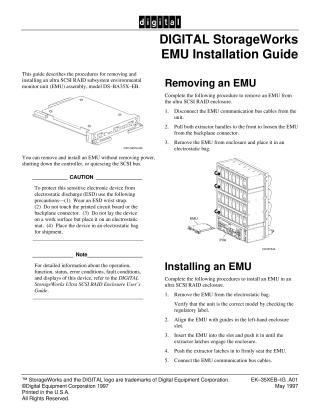
This document, the "DIGITAL StorageWorks EMU Installation Guide," provides instructions for removing and installing an ultra SCSI RAID subsystem environmental monitor unit (EMU) assembly, model DS-BA35X-EB.
Key points include:
- Hot-Swappable: The EMU can be removed and installed without shutting down power, the controller, or quiescing the SCSI bus.
- ESD Precautions (CAUTION): Always protect the sensitive electronic device from electrostatic discharge (ESD) by wearing an ESD wrist strap, avoiding touching the printed circuit board or backplane connector, placing the device on an electrostatic mat, and storing it in an electrostatic bag for shipment.
- Removing an EMU: Disconnect communication cables, pull extractor handles to loosen, then remove and place in an electrostatic bag.
- Installing an EMU: Remove from the electrostatic bag (verifying the model), align with enclosure guides, insert until latches engage, push latches to firmly seat, and finally, connect the communication cables.
- Further Information: For detailed operational, functional, or troubleshooting information, users should refer to the "DIGITAL StorageWorks Ultra SCSI RAID Enclosure User's Guide."
Site structure and layout ©2025 Majenko Technologies