StorageWorks Installing the Dual Bus Option (BA35X-AB)
Order Number: EK-346AB-IG
This document is an installation guide for the Dual Bus Option (BA35X-AB) into a StorageWorks Solutions BA346-K series deskside expansion pedestal.
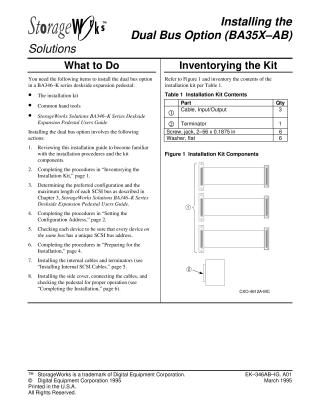
The installation process requires an installation kit, common hand tools, and reference to the StorageWorks Solutions BA346–K Series Deskside Expansion Pedestal Users Guide for specific configuration details and SCSI bus length planning.
Key steps involved in the installation include:
- Preparation: Inventorying the installation kit, turning off power, disconnecting existing cables, and removing the front door and side cover of the pedestal.
- Configuration Setting: Determining and setting the appropriate configuration address using jumpers (W1-W3 on connector J18) and ensuring all devices on a SCSI bus have unique addresses.
- Internal Cabling: Installing internal dual bus SCSI cables, removing any existing jumper cables, inserting terminators or I/O cables as per configuration, and mounting new connectors on the rear panel.
- Completion: Replacing the side cover (with a caution to do so before powering on), reconnecting external SCSI cables and AC power, and finally, powering on the pedestal to verify proper operation and device response.
Site structure and layout ©2025 Majenko Technologies