VSI-I64VMS-XPDF-V0300-4B-1-RNOTES.PDF
Order Number: XX-6C0C7-11
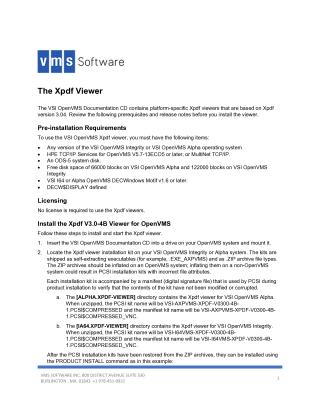
This document details the installation and usage of the VSI OpenVMS Xpdf Viewer, based on Xpdf version 3.04, available on the VSI OpenVMS Documentation CD.
Key Requirements:
- VSI OpenVMS (Integrity or Alpha operating system)
- HPE TCP/IP Services (V5.7-13ECO5+) or MultiNet TCP/IP
- An ODS-5 system disk is mandatory for installation.
- Sufficient free disk space (66000 blocks for Alpha, 122000 for Integrity).
- VSI I64 or Alpha OpenVMS DECWindows Motif v1.6 or later.
- The
DECW$DISPLAYlogical name must be defined. - No license is required to use the viewer.
Installation Process:
- Insert and mount the VSI OpenVMS Documentation CD.
- Locate the self-extracting Xpdf viewer installation kits (e.g.,
.EXE_AXPVMSor.ZIParchives, which must be inflated on OpenVMS). These kits include a manifest for integrity verification. - Install the viewer using the
PRODUCT INSTALLcommand. - Post-installation tasks involve adding specific lines to
SYS$MANAGER:SYSTARTUP_VMS.COMandSYS$MANAGER:SYSHUTDWN.COMto define system-wide logical names, and runningxpdf$define_commands.comfor process-specific settings (interactively, or viaSYSLOGIN.COMorLOGIN.COM).
Display Setup & Usage:
- To display documents, a display device must be defined by setting the
DECW$DISPLAYlogical name (e.g.,DEFINE DECW$DISPLAY WSAn:for local terminals orSET DISPLAY/CREATE...for remote devices). Alternatively, the-displaycommand-line argument can be used. - Start the Xpdf viewer by typing
$ xpdffor a main menu interface or$ xpdf my-file.pdfto open a specific PDF file directly. - The viewer includes several command-line utilities (e.g.,
pdfdetach,pdffonts,pdfimages,pdftohtml,pdftotext) for various PDF-related tasks.
Important Notes:
- Installation will abort if an ODS-5 disk is not detected.
- Syntax warnings about font substitution (e.g., 'Times-Roman' for 'NewCenturySchlbk-Roman') can be safely ignored.
Site structure and layout ©2025 Majenko Technologies