VSI-I64VMS-ANT-V0107-1B-1-RELNOTE.PDF
Order Number: XX-D13E1-3D
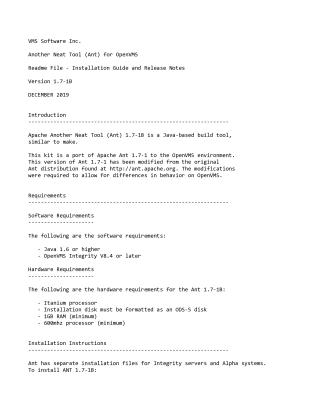
This document is the Readme, Installation Guide, and Release Notes for Apache Ant 1.7-1B for OpenVMS, released in December 2019 by VMS Software Inc.
Overview: Ant is a Java-based build tool, similar to 'make'. This specific version is a port of Apache Ant 1.7-1, modified to accommodate OpenVMS specific behaviors.
Requirements:
- Software: Java 1.6 or higher, OpenVMS Integrity V8.4 or later.
- Hardware (for Ant 1.7-1B): Itanium processor (though installation files are provided for both OpenVMS Integrity and Alpha systems), an ODS-5 formatted installation disk, at least 1GB RAM, and a 600MHz processor.
Installation:
- Expand the platform-specific compressed EXE file (e.g.,
VSI-I64VMS-ANT-V0107-1B-1.ZIPEXEfor Integrity) using theRUNcommand. - Start the PCSI utility:
$ PRODUCT INSTALL ANT. - Follow the on-screen installation instructions (default options are typically sufficient). Ant 1.7-1B will be installed to
PCSI$DESTINATION:[ANT_17].
Usage: To use Ant, you must:
- Define the logical name
ANT$HOME(e.g.,$ DEFINE ANT$HOME SYS$COMMON:[ANT_17]). - Define the DCL symbol
ANT(e.g.,$ ANT :== @SYS$COMMON:[ANT_17.BIN]ANT.COM). Once defined, you can run Ant commands, such as$ ant "-version".
Known Issues:
- Any existing Java restrictions or limitations on OpenVMS.
- Ant's file selectors may fail to obtain correct file sizes from C functions
fstat()orstat()for files still open for write and modified. - Case-insensitive filename matching on OpenVMS can cause issues if applications differentiate files only by case.
- Java on OpenVMS does not support UNIX-style
stdinorstdoutredirection.
Site structure and layout ©2025 Majenko Technologies