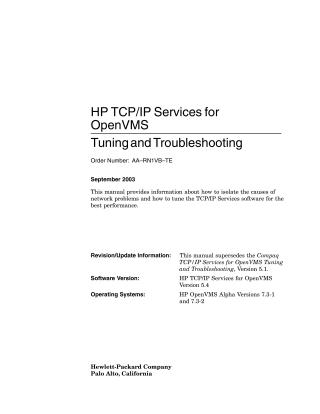
HP TCPIP Services for OpenVMS Tuning and Troubleshooting
Order Number: AA-RN1VB-TE
This document, published in September 2003, is the HP TCP/IP Services for OpenVMS Tuning and Troubleshooting manual, intended for OpenVMS and UNIX system/network managers.
Its primary purpose is to provide information on:
- Troubleshooting Network Problems: How to identify symptoms, isolate the causes of network issues (e.g., physical connection failures, underlying transport problems, incorrect routing, application/service misconfigurations), and diagnose them using various tools.
- Tuning for Performance: How to optimize the TCP/IP Services software for the best performance by adjusting subsystem attributes and server application settings.
Key topics covered include:
- Diagnostic Tools: Detailed usage of utilities like
ping,ifconfig,arp,netstat,tcpdump,TCPTRACE,nslookup,dig,ndc,route, andtracerouteto check connectivity, network interface parameters, ARP tables, network statistics, and monitor traffic. - Subsystem Attributes: Modifying kernel, socket, and internet subsystem attributes (e.g., maximum pending TCP connections, socket buffer sizes, TCP hash table sizes, keepalive function, TCP retransmission rates) to improve network behavior.
- Server Application Tuning: Recommendations for configuring memory, logging IP addresses, increasing auxiliary server connection limits, and managing BG devices.
- Gigabit Ethernet Performance: Specific advice for improving performance, such as configuring jumbo frames.
An appendix provides a comprehensive reference for all the troubleshooting utilities. This manual supersedes Version 5.1 of the Compaq TCP/IP Services for OpenVMS Tuning and Troubleshooting guide and applies to HP TCP/IP Services for OpenVMS Version 5.4 on HP OpenVMS Alpha Versions 7.3-1 and 7.3-2.
Site structure and layout ©2025 Majenko Technologies