Gianone UsingMS-DOSKermit 1ed 1990
Order Number: XX-EA0F0-18
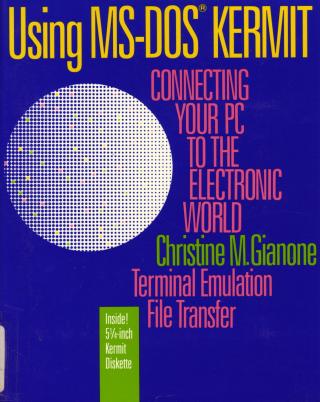
This document is a comprehensive user guide titled "Using MS-DOS Kermit: Connecting Your PC to the Electronic World," authored by Christine M. Gianone and published by Digital Press in 1990. It details the capabilities and usage of MS-DOS Kermit Version 3.0, a communications software program designed for IBM PCs, PS/2s, and compatible computers.
The book's primary purpose is to teach users how to connect their PC to other computers and online services for two main functions: terminal emulation and reliable file transfer. It emphasizes Kermit's unique position as a widely used, volunteer-developed, and freely reproducible (though copyrighted) program that became an international de facto standard for file transfer due to its robust features and cost-effectiveness.
Key areas covered in the document include:
- Getting Started: Step-by-step instructions for installing MS-DOS Kermit on single-diskette, dual-diskette, and hard disk systems, along with essential MS-DOS basics like filenames, directories, and commands for novice PC users.
- Connectivity: Detailed guidance on physical connections, including types of modems (external, internal), cables (modem, null modem), and connecting to various communication equipment like PBX data lines, multiplexers, and local area networks (Netbios, DECnet/DOS, Novell). It also provides troubleshooting steps for testing connections.
- Running Kermit: Explains how to start and stop the program, its command-line interface with "menu on demand" help, command abbreviation, and editing features.
- Terminal Emulation: Covers how MS-DOS Kermit allows a PC to act as a terminal, supporting emulation modes for DEC VT52, VT102, VT320, Heath/Zenith-19, and Tektronix graphics terminals. It includes features like screen rollback, session logging, key redefinition, screen color control, and printer control.
- File Transfer: Provides thorough instructions for transferring text and binary files using the Kermit protocol (SEND and RECEIVE commands), including handling multiple files, interpreting the file transfer display, and interrupting transfers. It also addresses file transfer without the Kermit protocol for incompatible systems and strategies for improving performance.
- Advanced Features: Delves into making the PC function as a Kermit server, enabling remote file management and command execution. It introduces the creation and use of macros, command files, and script programming with commands like
INPUT,OUTPUT,IF, andGOTOto automate complex tasks such as dialing directories, login sequences, and unattended file transfers. - International Character Sets: A significant portion is dedicated to supporting international characters during both terminal emulation and file transfer, explaining IBM PC code pages (e.g., CP437, CP850, Latin-1) and character set translation.
- Accessibility: Highlights specific features for users with disabilities, including support for visual impairments (large print, block cursor), hearing impairments (visual bell), and physical impairments (key redefinition).
The document is designed as a practical, step-by-step guide, offering solutions for a wide range of data communication needs prevalent in the late 1980s and early 1990s computing environment.
Site structure and layout ©2025 Majenko Technologies