VAXstation 100 Technical Sumamry
Order Number: ED-26109-51
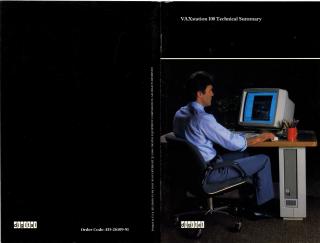
This document is a technical summary for the VAXstation 100, a computer workstation subsystem introduced by Digital Equipment Corporation in 1984.
Key points include:
- Purpose & Integration: The VAXstation 100 is designed as a low-cost, high-performance add-on to existing UNIBUS VAX systems (e.g., VAX-11/725 to VAX-11/785), rather than a standalone workstation. It aims to integrate easily into the VAX computing environment.
- Hardware:
- Display: Features a high-resolution 19-inch monochrome monitor (1088x864 pixels, 60Hz refresh) with a tilt-swivel base.
- Display Processor Subsystem: Powered by a Motorola MC68000 microprocessor, 128 Kbytes of microprocessor memory, and 512 Kbytes of screen-refresh memory. Includes a Bit-Blt Accelerator for graphics operations.
- Input Devices: A low-profile keyboard and a three-button mouse are standard. An optional graphics data pad with a five-button cursor (puck) is available.
- Connectivity: Connects to the VAX host via a high-speed (10 Mbits/sec) fiber-optics link, allowing the workstation to be up to 1000 feet away from the VAX processor.
- Software:
- Operating System: Layered onto the VMS operating system.
- Multi-windowing: A core feature enabling users to run and interact with multiple jobs concurrently through distinct on-screen "windows."
- System Display Architecture (SDA): Manages the display by isolating program applications from the physical screen, using "virtual displays," "pasteboards," and "viewports" to control output and screen layout (including overlapping or side-by-side windows).
- Graphics Operations: Implements five basic bitmap graphics operations: Copy Area, Draw Curve, Print Text, Fill Area, and Flood Area.
- Libraries: Includes the VAXstation Display Management Library (VSTA) for native graphics and the VAXstation CORE Graphics Library (CGL) for general-purpose graphics application development.
- Emulation: Can emulate Digital's ASCII terminals and Tektronix 4014 graphics terminals.
- User Interface: Emphasizes ease of use and productivity through a mouse-driven, menu-based interface. It includes a "utility area" on the screen's right side for managing jobs, documents (like help and notifications), and virtual "storage" for off-screen tasks. Users can easily move, store, retrieve, and log out of jobs via mouse interactions.
- Support: Digital provides single-vendor worldwide support and training for the VAXstation 100.
Related Documents
| VAXstation 100 Technical Summary | ED-26109-51 |
Site structure and layout ©2025 Majenko Technologies