Fibre Channel Hub, 12-Port Universal Mounting Kit
Order Number: EK-GGBAA-IC
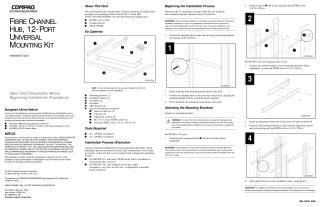
This document is an installation card providing instructions for mounting a Fibre Channel (FC) 12-Port Hub (295573-B21/DS-DHGGB-AA) into various Compaq racks, including RETMA 41U, RETMA 42U, Compaq Classic, and Metric SW600. It details the kit contents, required tools, and a step-by-step installation process.
The installation guide covers:
- Determining Installation Location: Using a rack-mounting template to mark front and rear mounting bracket holes.
- Attaching Mounting Brackets: Securing mounting brackets to the vertical rails of the rack, with specific steps for different rack types and orientations, including extender brackets for RETMA 42U and Compaq Classic racks.
- Attaching Slide Brackets: Fastening slide brackets to the sides of the hub.
- Installing the Hub: Sliding the hub, with attached slide brackets, into the rack mounting brackets and securing it.
- Installing the Faceplate: Attaching a faceplate (primarily for cosmetic reasons) for RETMA 42U and Compaq Classic rack-rear installations.
- Installing Air Baffles: Installing air baffles for RETMA 42U and Compaq Classic rack-rear installations.
- Routing Cables: Using snap-on cable ties to route power and data cables.
The document stresses the importance of following correct procedures based on rack type and desired installation orientation (rack-front or rack-rear configuration), provides warnings against extending multiple components simultaneously for stability, and includes notes on ensuring all screws are fully tightened for structural integrity.
Site structure and layout ©2025 Majenko Technologies