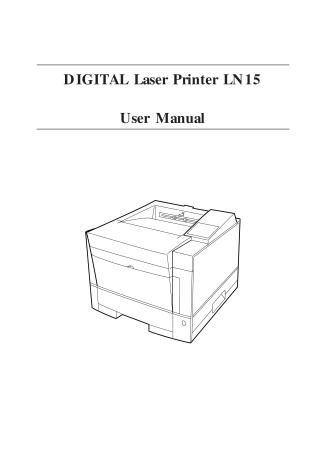
DIGITAL Laser Printer LN15
User Manual
Order Number: XX-A097D-CD
This document is the user manual for the DIGITAL Laser Printer LN15, providing comprehensive instructions for setup, operation, maintenance, and troubleshooting.
Getting Started: The manual begins by familiarizing users with the printer's components and paper feeding paths. It guides through selecting a suitable location, unpacking the printer, and installing essential items like the toner cartridge and cleaner pad. It also covers loading paper into the main tray and adjusting paper guides.
Connectivity and Configuration: Detailed steps are provided for installing optional accessories such as a Multi-function Feeder (MFF) and connecting the printer to a power source and a computer via various interfaces (parallel, serial, LocalTalk, Ethernet). Users learn how to print a test page offline, adjust print density, and select printer emulations (PCL or PostScript) using the control panel.
Daily Operation and Paper Handling: The control panel's indicators, message display, and buttons are explained, including functions for changing language, printing buffered data, clearing errors, and accessing setup menus for customized defaults. An extensive section on paper handling covers compatible paper types, sizes (for tray, manual feed slot, and MFF), and specific guidelines for preprinted sheets, transparencies, envelopes, and labels. It also instructs on how to adjust the paper tray size.
Enhancements and Customization: The manual outlines how to enhance the printer by adding RAM, expanding font options, installing different interface expansion boards, adding optional paper feeders, and integrating a duplex unit for two-sided printing.
Maintenance: Routine and preventive maintenance procedures are described, including instructions for replacing the toner cartridge, cleaner pad, and print unit, as well as cleaning the corona wire, paper path, and precharger wire. Steps for resetting the print unit counter are also included.
Troubleshooting: A dedicated chapter helps users diagnose and resolve common problems, such as paper jams (with specific locations), operational issues (e.g., no power, initialization failure), and print quality issues (e.g., light/dark prints, lines, smudging). It also lists and explains various error and status messages displayed on the control panel, providing solutions for each.
Appendices: The document concludes with appendices featuring font samples, a list of supplies and accessories with order numbers, detailed technical specifications (e.g., printing technology, dimensions, power, environmental conditions, performance, interfaces, fonts, paper), and a glossary of printer-related terms.
Site structure and layout ©2025 Majenko Technologies