Using StorageWorks Disk Drives as System Devices
HP Series 700 and 800
HP-UX V9.05 and V9.04
Order Number: EK-SMA05-AN
This application note provides detailed instructions for installing HP-UX V9.04 and V9.05 operating systems onto StorageWorks disk drives on HP Series 700 Workstations and Series 800 Servers.
The document begins by outlining general considerations, including a list of qualified StorageWorks disk drives (SWXD3-SC, SB, SE, WC, WB, WE models ranging from 1GB to 4GB). It highlights crucial limitations:
- HP-UX V9.04 cannot be installed on partitioned disks on Series 800 servers, requiring Logical Volume installations due to missing
disktabinformation. - HP-UX V9.05 cannot be installed on 4GB drives on Series 700 workstations because the OS cannot handle files or raw sections larger than 2GB. It also provides estimated installation times for each series.
Two distinct, step-by-step installation procedures are detailed:
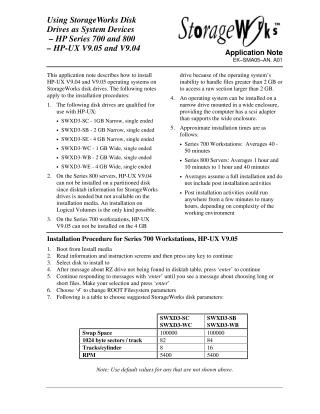
For Series 700 Workstations (HP-UX V9.05): This procedure guides users through booting from install media, selecting the target disk, configuring ROOT Filesystem parameters using a provided table for Swap Space, sectors/track, tracks/cylinder, and RPM. It covers file set selection, network configuration, setting the root password, and modifying
/etc/inittabfor multi-user mode.For Series 800 Servers (HP-UX V9.04): This procedure involves booting from the console, initiating a full installation to a specific hardware address using a Logical Volume system. A critical step requires manually selecting the disk type (
C2247for 1GB orC3010for 2GB/4GB StorageWorks drives). Users are instructed to add specific logical volumes for filesystems like/usr,/tmp, and/userswith recommended sizes, configure network settings, set the root password, and finalize the boot configuration using themkbootcommand.
Both procedures involve multiple system reboots at various stages and conclude by advising users to consult /tmp/update.log for post-installation tasks.
Site structure and layout ©2025 Majenko Technologies