DECpos 320sx
Service Guide
Order Number: EK-DCPOS-SG
This document serves as a comprehensive service guide for the DECpos 320sx system, aimed at Digital Services, third-party service personnel, and self-maintenance customers. It provides detailed information and procedures for maintaining, repairing, and troubleshooting the system.
Key sections of the guide include:
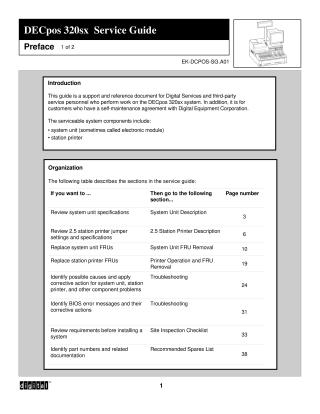
- Introduction and Organization: Outlines the purpose of the guide, the serviceable components (system unit and station printer), and the structure of the document, including a table of contents for various service-related topics.
- System Unit Description: Details the hardware specifications of the DECpos 320sx, such as its AMD 80386sx/20 processor, RAM capacity (1MB to 16MB), power requirements, VGA video, mass storage interfaces (floppy, IDE hard disk), ISA bus, and an array of peripheral interface ports (RS-232C, parallel, keyboard, mouse, cash drawers). It also includes instructions for SIMM jumper pin settings, diagrams of cable connections, and a table of system unit jumper settings for various configurations.
- 2.5 Station Printer Description: Describes the printer's functionalities, including its three printing stations (customer receipt, journal report, paper form), indicators (power, slip, receipt/journal out, on-line), and controls (On Line, Receipt Feed, Journal Feed). Extensive tables explain the settings for DIP switches DSW1, DSW2, and DSW3, which control auto line feed, font, buffer capacity, paper width, transmission speed, parity, and handshaking.
- System Unit FRU Removal: Provides step-by-step instructions for safely powering down the system and removing or installing Field Replaceable Units (FRUs) like SIMMs, disk drive brackets, floppy drives, hard drives, power supplies, and various circuit boards (logic board, ISA/I/O riser cards). This section emphasizes caution regarding Electrostatic Discharge (ESD) and memory protection during service.
- Printer Operation and FRU Removal: Offers procedures for operating the printer, testing it, and removing/installing printer components such as the ribbon cassette, paper rolls, printer head (including adjustment), printer cabinet cover, and printer logic board.
- Troubleshooting: Features detailed tables covering problem areas, possible causes, and corrective actions for issues related to the system, keyboard, customer display, monitor, cash drawer, printer, and LAN configuration. It also explains POST (Power-On Self-Test) error reporting through hexadecimal codes, beep codes, and text messages, providing corresponding failure descriptions. Interrupt (IRQ) assignments and a system memory map are also included.
- Site Inspection Checklist: A pre-installation guide that helps assess site readiness for DECpos systems, covering integrated and dispersed configurations, power wiring, LAN communications setup, and software installation considerations.
- Recommended Spares List: Directs users to an online database (LOGPICK) for information on recommended spare parts and their numbers.
Overall, the guide is an essential reference for anyone involved in the installation, maintenance, or repair of the DECpos 320sx system.
Site structure and layout ©2025 Majenko Technologies