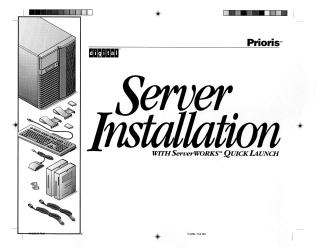
Server Installation WITH ServerWORKS™ QUICK LAUNCH
Order Number: XX-85ADA-60
This document is an installation guide for the Digital Prioris server, emphasizing the use of the ServerWORKS™ Quick Launch CD-ROM for streamlined setup.
The guide outlines the following steps:
- Preparation: Advises selecting a suitable environment with adequate ventilation, electrical outlets, and a telephone jack, free from excessive heat or dust. It also warns that the server is heavy and requires two people for safe unpacking.
- Hardware Installation: Details identifying server components, safely unpacking the unit, installing any internal options (like memory, disk drives, or expansion cards) with anti-static precautions, and connecting external peripherals (keyboard, mouse, monitor) and power cords. It specifies connecting Ethernet cables (10Base-T, 10Base-2, or 10Base-5) after consulting a network administrator. It also lists minimum server requirements for using Quick Launch (e.g., 16MB RAM, SVGA monitor, 540MB HDD, network card, CD-ROM, keyboard).
- Power On: Instructions for turning on the monitor first, then the server, and adjusting display settings.
- Software Configuration (using ServerWORKS™ Quick Launch):
- For optional expansion cards: Users are guided to configure EISA/PCI cards using the System Configuration Utility (SCU) and set up RAID controllers. This often involves booting from the Quick Launch CD-ROM.
- For general server and operating system installation: The Quick Launch CD-ROM is used to create an MS-DOS partition, install utilities, and then proceed with OS installation. Users can choose "Express" for unattended Windows NT or Novell NetWare installation or "Conventional" for other operating systems.
- The guide also explains how to create server utility and device driver diskettes (for SCU, RAID, diagnostics, and specific hardware drivers) from the Quick Launch CD-ROM.
- Post-Installation: Instructions for registering the server and installing the ServerWORKS™ Manager software for ongoing server management.
- Support: Provides information on warranty, technical support contacts (phone, BBS), and encourages users to run diagnostics and have server details ready before calling for help.
Site structure and layout ©2025 Majenko Technologies