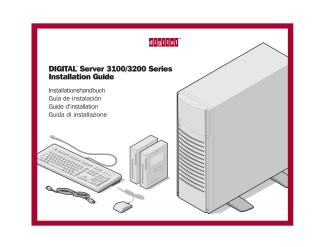
DIGITAL™ Server 3100/3200 Series
Installation Guide
Order Number: XX-496CD-AF
- / Hardware / Computers / Intel x86 / DIGITAL Server 3100
- / Hardware / Computers / Intel x86 / DIGITAL Server 3200
This document is an installation guide for the DIGITAL™ Server 3100/3200 Series, outlining the steps to set up both hardware and software. It emphasizes DIGITAL's commitment to quality and support.
The guide covers:
- Preparation: Selecting a suitable workspace free from environmental hazards and ensuring proper air flow.
- Unpacking: Instructions for safely unboxing the heavy server, requiring two people.
- Component Identification: Listing all included parts like the server unit, country kit (keyboard, mouse, cables), power cord, server keys, and ServerWORKS software/documentation kits.
- Hardware Installation: Steps for installing internal options such as memory, processors, disk/tape drives, and SCSI/RAID adapters, with warnings about anti-static precautions.
- Cabling: Connecting the mouse, keyboard, monitor, and power cord, including cautions about voltage selection.
- Network Configuration: Guidance on connecting to various Ethernet network types (10/100Base-T, 10Base-2, 10Base-5) and advising consultation with a network administrator.
- Power On: Simple steps to turn on the monitor and server.
- Software Installation & Configuration:
- Utilizing the DIGITAL ServerWORKS Quick Launch CD-ROM for streamlined installation of hardware components and network operating systems (e.g., Microsoft Windows NT, Novell NetWare).
- Configuring optional expansion cards (EISA, PCI, ISA) using the System Configuration Utility (SCU) and RAID controllers.
- Creating utility and device driver diskettes for SCSI, video, RAID, network, SCU, and diagnostics.
- Post-Installation: Registering the server, reviewing warranty information, and installing the DIGITAL ServerWORKS Manager software for server management, monitoring, and fault condition handling.
The document highlights the Quick Launch program as a key tool for efficient and accurate server setup, providing a comprehensive archive of documentation, troubleshooting assistance, and configuration utilities. It also provides contact information and online resources for technical support.
Site structure and layout ©2025 Majenko Technologies