Installing and Cabling the 100BaseFX Mod-MAC (DLXFX)
Order Number: EK-DLXFX-IM
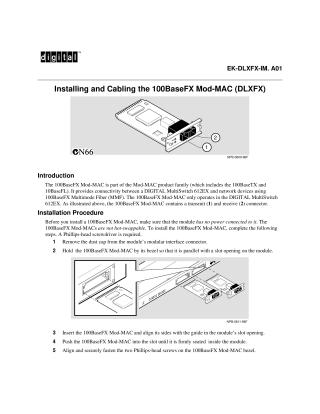
This document provides instructions for installing and cabling the 100BaseFX Mod-MAC module (DLXFX). The 100BaseFX Mod-MAC, part of the Mod-MAC product family, enables 100BaseFX Multimode Fiber (MMF) connectivity between a DIGITAL MultiSwitch 612EX and network devices, operating exclusively within the DIGITAL MultiSwitch 612EX. It features distinct transmit and receive connectors.
The installation procedure requires a Phillips-head screwdriver and emphasizes that the module is not hot-swappable and must have no power connected during installation. Steps include removing a dust cap, aligning and inserting the module into a slot until firmly seated, and then fastening two screws on the bezel. After physical installation, 100BaseFX cable connectors are inserted into the module's transmit and receive ports.
The document also describes the operational status indicated by the module's LEDs: an Activity LED (1) flickers with network traffic, while a Port Status LED (2) indicates connection state (off for no connection, blinking if disabled by management, and steady on for an active connection). For troubleshooting or further details, users are directed to the DIGITAL MultiSwitch 612EX Installation and Configuration manual and Digital Equipment Corporation's network product websites.
Site structure and layout ©2025 Majenko Technologies