FCO DRB32-0002, Timing descrepancy with SYNCIN/SYNCOUT signals
Order Number: 23-1091L1-00
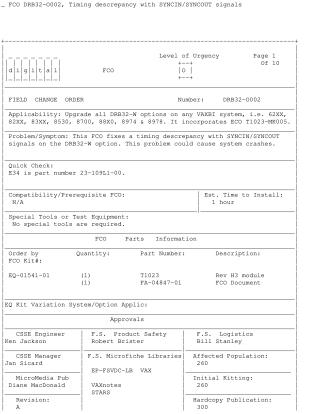
This Field Change Order (FCO DRB32-0002) outlines the procedure for resolving a timing discrepancy with SYNCIN/SYNCOUT signals on the DRB32-W option, which can cause system crashes in various VAXBI systems (62XX, 82XX, 83XX, 8530, 8700, 88X0, 8974 & 8978).
The FCO incorporates ECO T1023-MK005 and involves upgrading the DRB32-W option by replacing an older T1023 module with a new "H3" revision module (Part Number EQ-01541-01). The document provides detailed, system-specific installation instructions, which include:
- System Shutdown: Powering down the VAXBI system.
- Safety Precautions: Implementing all ESD safety measures and using a VELOSTAT case.
- Module Replacement: Removing the old T1023 module (if its revision is below "H3") and installing the new "H3" module.
- Documentation: Completing a Non-Conforming Material Tag and packaging the old module for return, which is emphasized as imperative for upgrading.
- System Power-Up: Re-energizing the system.
- Diagnostic Testing: Booting the VAX Diagnostic Supervisor (VDS), loading EVDRI.EXE, and testing the T1023 module. It notes that the DRB32-M module (T1022) must be fully functional prior to testing the DRB32-W.
- System Reboot: Bringing the operating system back online.
- Reporting: Updating the Site Management Guide and reporting FCO activity.
The installation is estimated to take 1 hour and requires no special tools.
Site structure and layout ©2025 Majenko Technologies