MEMORY OPTION INSTALLATION CARD
Order Number: EK-MS340-IN
This document is a quick reference guide for installing MS340-XX memory options in an AlphaServer DS20 system. It provides essential steps from preparation to verification.
Key points include:
- Safety: Users are warned to wait 2 minutes after power removal before touching hot CPU/memory modules and to wear an antistatic wrist strap.
- Overview: The installation involves opening the pedestal cabinet, installing the memory, and verifying the installation.
- Memory Options: Each memory option consists of four DIMMs of the same size. While options within a system can be a mix of sizes, they must be installed in specific, designated slots, with the largest option typically going into slots marked '0'.
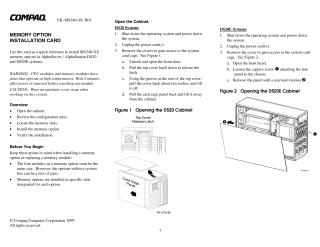
- Cabinet Access: Detailed instructions are provided for safely shutting down the system, unplugging power, and removing the front door, top cover, and card cage panel to access the system's internal components.
- Installation Procedure: If necessary, a CPU might need to be removed to access the DIMM slots. Users must identify the correct slots, open the memory connectors by pushing levers outward, align each DIMM, and press down until the connector levers close.
Verification:
- For DIGITAL UNIX and OpenVMS systems, use the
show memorycommand. - For Windows NT systems, access AlphaBIOS Setup, then "Display System Configuration," and finally "Memory Configuration" to view the system memory status.
- For DIGITAL UNIX and OpenVMS systems, use the
Part Numbers: Information on part numbers for options can be found on the Compaq website.
Site structure and layout ©2025 Majenko Technologies