KFTHA SYSTEM I/O MODULE INSTALLATION CARD
Order Number: EK-KFTHA-IN
This document serves as a quick reference guide for installing the KFTHA I/O module (E2052) into AlphaServer 8200/8400 systems. It outlines the four main steps for installation:
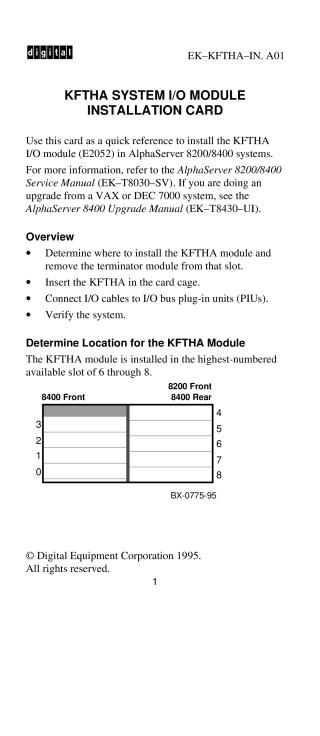
- Determine Location and Remove Terminator: Identify the highest-numbered available slot (6 through 8) for the KFTHA module and remove any existing terminator module. Users are cautioned to wear an antistatic wrist strap.
- Insert KFTHA Module: Carefully insert the KFTHA module into the designated slot within the card cage, sliding it in from left to right to avoid damaging EMI gaskets. Secure the module by pushing its handles to connect it to the backplane.
- Connect Cables: Attach and route the I/O cables to the KFTHA module, ensuring the connector screws are tightened to a torque of 6 inch-pounds.
- Verify System: Power on the system and confirm successful installation by checking for a lit green self-test LED on the module. Additionally, inspect the system's self-test display (ST3 line) to ensure a plus sign appears for the slot where the KFTHA module is installed, and verify that the I/O channels (Cn lines) associated with the module also show plus signs.
Site structure and layout ©2025 Majenko Technologies