AlphaStation 500 Model 500 Auxiliary Power Harness
Order Number: EK-AUXPH-IN
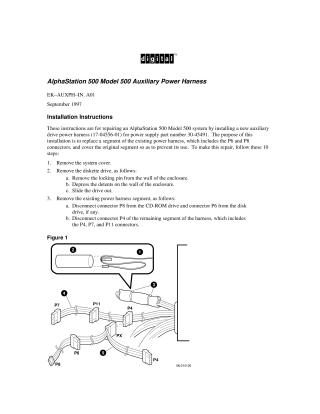
This document provides installation instructions for repairing an AlphaStation 500 Model 500 system by replacing a segment of the auxiliary drive power harness (part number 17-04556-01). The process involves 10 steps:
- Removing the system cover and diskette drive.
- Disconnecting and removing the existing power harness segment (P6, P8, and P4 connectors).
- Disabling the old segment by coiling it, covering all connectors with shrink-fit tubing, and securing it with tie-wraps to prevent future use.
- Connecting the new auxiliary drive harness to the remaining existing harness.
- Reconnecting any disconnected drives using the new harness's connectors.
- Tucking the disabled harness segment out of the way.
- Reinstalling the diskette drive and system cover.
- Placing a handwritten label on the power supply to indicate the modification date and the equivalent revision for the power supply type.
The overall purpose is to replace a specific segment of the power harness to address potential issues and prevent its continued use.
Site structure and layout ©2025 Majenko Technologies