Limited Virtual Memory Message on Digital Alpha XL Workstations (16MB)
Order Number: EK-ALXLA-PP
This document, dated October 2, 1995, is addressed to Digital Alpha XL customers who purchased workstations with 16 MB of memory. It explains an issue where the factory-installed Microsoft Windows NT™ operating system incorrectly calculates the minimum paging file size for these systems.
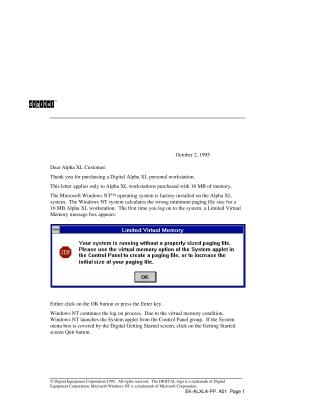
Upon the first login, users will encounter a "Limited Virtual Memory" message. To resolve this, the user must manually adjust the virtual memory settings. The steps involve:
- Clicking "OK" on the "Limited Virtual Memory" message.
- Windows NT will automatically launch the System applet from the Control Panel.
- Clicking the "Virtual Memory..." button within the System applet.
- Changing the "Initial Size (MB)" for the paging file on the C: drive from the default (likely 27 MB) to at least 40 MB.
- Clicking "Set," then "OK" on the Virtual Memory dialog, and finally "OK" on the System dialog.
- Restarting Windows NT when prompted to apply the new settings.
Once Windows NT restarts, the system will operate without generating the "Limited Virtual Memory" message.
Site structure and layout ©2025 Majenko Technologies