Updating KA50/KA52 CPU Firmware
Order Number: EK-VX4FW-UP
This document provides instructions for updating the firmware on KA50/KA52 CPU devices using provided media (tape or CD).
Key Steps:
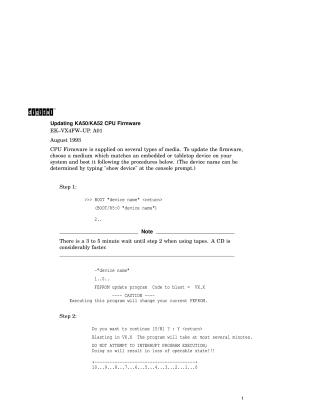
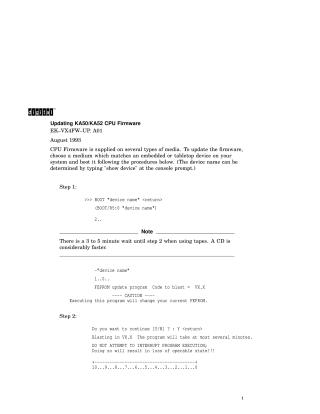
- Boot from Media: At the console prompt, type
BOOT "device name"(orBOOT/R5:0 "device name"). Be aware that tapes may require a 3-5 minute wait for the program to load, while CDs are considerably faster. The system will indicate it's running the "FEPROM update program." - Confirm Firmware Update: When prompted, type 'Y' to continue the update. The blasting process will take several minutes. Crucially, do NOT attempt to interrupt the program execution during this phase, as it will render the device inoperable.
- Remove Media: Once "FEPROM Programming successful" is displayed, remove the update media from the device.
- Reboot System: Turn the system off and then on again to allow it to perform a normal self-test with the new firmware.
- Verify Firmware Version: At the console, type
sh verto confirm that the new firmware version matches the name on the media.
Troubleshooting: If you encounter problems during the update, ensure the "update enable jumper" is properly installed on the KA50/KA52 CPU motherboard (refer to Figure 1 in the original document for its location).
Site structure and layout ©2025 Majenko Technologies