Memory Option Installation Card
Order Number: EK-MS430-IN
This document is an installation guide for Compaq MS340-XX memory options in AlphaServer/AlphaStation DS20 and DS20E systems.
Key Steps and Information:
- Preparation: Shut down the operating system, power down, and unplug the system. Caution: Wait 2 minutes after power-off due to high temperatures and always wear an antistatic wrist strap.
- Open Cabinet:
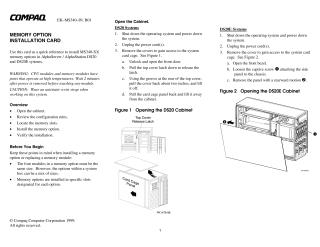
- DS20: Unlock and open the front door, release the top cover latch, slide the top cover back and lift it off, then pull back and lift the card cage panel.
- DS20E: Open the front bezel, loosen the captive screw, and remove the side panel with a rearward motion.
- Memory Configuration Rules: A memory option contains four DIMMs that must all be the same size. The largest memory option should be installed in slots marked '0' on the system board, with subsequent options being the same size or smaller, installed in designated slots/banks.
- Install Memory: Locate the 16 DIMM slots (refer to Figure 3 in the document). If needed, remove the CPU to access the slots. Open each memory connector by pushing the levers outward (Figure 4), align each DIMM, and press down until the connector levers close.
- Verify Installation: Use the "show memory" command to display the system memory status.
The document also provides a URL for finding part numbers for supported options.
Site structure and layout ©2025 Majenko Technologies