turbo PrintServer 20, PrinterServer 32 Controller Firmware V3.6
Order Number: EK-LPS2X-IN
- / Hardware / Infrastructure / Print Servers / PrintServer 20
- / Hardware / Infrastructure / Print Servers / PrintServer 32
This document outlines the instructions for upgrading the firmware of turbo PrintServer 20 and PrintServer 32 printers to Version 3.8 by installing new ROM chips.
Key Components & Tools: The upgrade kit includes two ROM chips and an antistatic wrist strap. A Phillips head screwdriver is required for the procedure.
Installation Process: The installation involves a series of steps to access and replace the ROM chips on the printer's controller board:
- Preparation: Power down and disconnect the printer.
- Safety: Attach and ground an antistatic wrist strap.
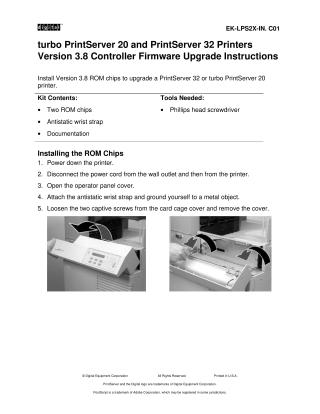
- Disassembly: Remove the operator panel cover, card cage cover, and the grounding bracket to access and remove the controller board.
- Chip Replacement: Carefully remove the existing ROM chips from the controller board and install the new Version 3.8 ROM chips, ensuring correct pin alignment and orientation.
- Reassembly: Reinstall the controller board, grounding bracket, and card cage cover.
- Final Step: Reconnect the power cord to the printer.
Verification: After reassembly, power on the printer. The power-up diagnostics should run, and the operator panel display should show "3.8," confirming the successful firmware upgrade. If the operator panel remains blank, the document advises reseating the newly installed chips or the controller board.

Site structure and layout ©2025 Majenko Technologies