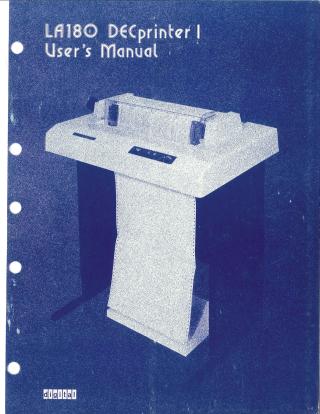
LA180 DECprinter I User's Manual
Order Number: EK-LA180-OP
This document is the User's Manual for the LA180 DECprinter I, published by Digital Equipment Corporation.
The manual provides comprehensive guidance for operating, installing, configuring, and troubleshooting the LA180 printer.
Key areas covered include:
Operator's Guide:
- Explanation of LA180 alarm signals (continuous tone for jam, repetitive beeping for out of paper/bell codes, single beep for bell code).
- Description of operator controls (Head of Form, On Line/Off Line, Power, Self Test, Set VFU, Length of Form).
- Procedures for self-testing the printer and placing it on-line.
- A list of available functional options, including compressed font, paper basket, and various serial interfaces.
Paper and Ribbon Management:
- Detailed instructions for loading paper, including adjustments for paper positioning (horizontal and vertical) and impression, noting the LA180's compatibility with forms from 3 to 14-7/8 inches wide.
- Guidance on changing and installing printer ribbons, specifying the use of DIGITAL-recommended nylon ribbons with non-abrasive inks and indicating typical ribbon lifespan and reversal for extended use.
Installation and Configuration:
- General installation information, including site considerations for optimal performance (free of dust, proper ventilation, clearances).
- Step-by-step procedures for unpacking, inspecting, and packing the LA180.
- Details on 50 Hz/60 Hz power conversion, which requires changing power transformers and must be performed by a qualified technician.
- Descriptions of interface specifications and J3 pinning on the logic board, including signals like DATA STROBE, ON LINE, BUSY, and PAPER FAULT.
- Information on LA180 jumper selections for configuring various printer functions such as speaker volume, busy signal, interface voltages, clock speeds, Katakana character set, auto line feed, and parity.
Programmer's Guide:
- Details on how the LA180 receives characters and commands as 7-bit ASCII codes.
- A list of recognized ASCII control codes (BEL, BS, LF, FF, CR, DEL) and their corresponding actions.
- Tables outlining ASCII receive operations and the printer's line rate versus column width.
Troubleshooting Guide:
- A table listing common symptoms (e.g., printer not turning on, no print, light print, paper not advancing, paper tearing, line bunching) and their possible causes with corrective actions.
Specifications:
- Technical details including line length (132 characters maximum), spacing (10 characters/inch horizontal, 6 lines/inch vertical), character set (96 upper/lower case ASCII, 7x7 dot matrix), paper types (single and multipart, up to 6 parts with specific notes), ribbon type, power requirements, operating and non-operating temperature and humidity ranges, dimensions, and weight.
Serial Interface Options (LAXX-NW, NX):
- Detailed information on the optional serial interface modules (LAXX-NW for EIA RS-232C, LAXX-NX for 20 mA current loop with EIA capability), which allow the parallel-input LA180 to receive serial data.
- These modules support various baud rates (300 to 9600) and include a 256-character buffer with XON/XOFF flow control.
- Crucially, it notes that the LA180 logic board must be Revision R or higher for these serial interfaces to be installed.
Compressed Font Option (LAXX-KJ):
- Details on this mechanical option, which allows the LA180 to print 132 columns on narrower forms (9-inch with one strippable edge or 9-1/2 inch with two strippable edges), requiring no operator intervention after installation.
The manual emphasizes using Digital-recommended parts and following procedures carefully for optimum performance and equipment life.
Site structure and layout ©2025 Majenko Technologies