KA7AA CPU Installation Card
Order Number: EK-KA7AA-IN
This document, the KA7AA CPU Installation Card (EK-KA7AA-IN), serves as a quick reference guide for installing the KA7AA CPU module (E2045-AA) in VAX 7000 or VAX 10000 systems.
The guide covers four main areas:
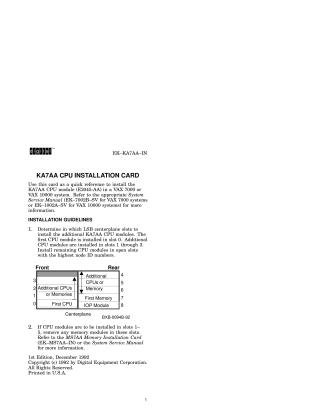
- Installation Guidelines: Specifies the LSB centerplane slots for installing the first and additional CPU modules (slot 0 for the first, then slots 1-3, and remaining open slots by highest node ID), and advises removing existing memory modules from certain slots if necessary.
- Physical Installation: Provides step-by-step instructions for physically installing the CPU module, including precautions (antistatic strap), system shutdown, opening the cabinet, preparing the module (clips, levers), proper alignment and insertion into the card cage, and securing it.
- System Verification: Explains how to power up the system and check the self-test display to ensure new CPU and memory modules are recognized, detailing how to interpret the output for processor/memory presence, self-test results, XMI adapter status, memory configuration, and firmware revision.
- Module and EEPROM Updates: Details how to use the Loadable Firmware Update (LFU) Utility to update the CPU's console firmware (especially if there's a revision mismatch) using
update -fcommands, and how to update the EEPROM (environment variables) usingupdate -e,set eeprom fieldfor LARS information, andset system serialfor the system serial number.
Site structure and layout ©2025 Majenko Technologies