GIGI
Programming Reference Card
Order Number: EK-0GIGI-RC
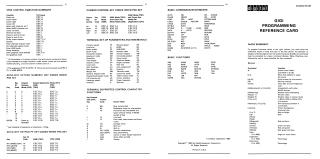
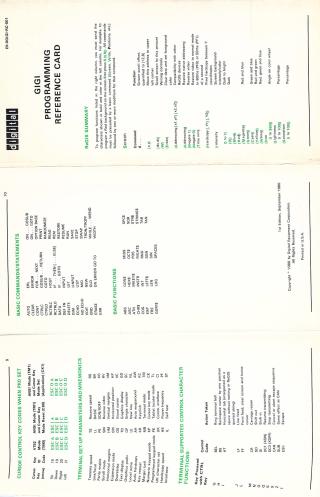
This document is a comprehensive reference card for the GIGI terminal, outlining its programming and control functionalities. It is divided into several key sections:
- Terminal Control Functions: Details VT52 and ANSI escape sequences for cursor movement, screen manipulation (erase, identify), keypad modes, and graphics mode entry/exit. It also lists key codes for cursor and auxiliary keypad numeric/PF keys, along with actions of various CTRL-key combinations (e.g., CTRL+G for BEL, CTRL+M for Carriage Return).
- BASIC Programming Elements: Provides lists of BASIC commands/statements (e.g., AUTO, GOTO, PRINT, IF...THEN) and BASIC functions (e.g., ABS, SQR, STR$, HEX$) supported by the terminal.
- ReGIS (Remote Graphics Instruction Set) Summary: This is a major section explaining how to program graphics functions. It covers:
- Screen Control: Managing scroll offset, addressing, writing controls, clearing, setting foreground/background colors (including hue, lightness, saturation), and hardcopy options.
- Drawing Primitives: Commands for creating and manipulating basic shapes like points, vectors, curves, and circles, specifying coordinates, offsets, and attributes.
- Text Manipulation: Displaying strings, setting text attributes (slant, size, spacing), and selecting character sets.
- Reporting: Querying terminal status such as loaded character set, macrograph information, and current cursor position.
- ANSI Control Functions: Further elaborates on ANSI escape sequences for detailed cursor movement, setting various character attributes (e.g., colors, underscore, blink, reverse video), erasing specific parts of the screen, and controlling programmable LEDs.
- Modes and Configuration: Explains how to enter graphic mode and lists SET-UP parameters and their sequences to configure terminal behavior, including linefeed, cursor key mode, scrolling, video mode, wraparound, autorepeat, overstrike, BASIC interpretation, and keypad settings.
- Status, Reset, Print, and Tests: Includes commands to query terminal status, reset the device, print display images, and perform confidence tests like generating cross-hatch patterns or executing self-tests.
- Device Control Strings: Defines specific escape sequences for sending ReGIS, SET-UP, auxiliary keypad, and hardcopy data, along with string terminators.
Overall, the document serves as a quick-reference guide for developers and users to program and control the GIGI terminal's functionalities, particularly its graphics capabilities, using a combination of escape sequences and BASIC commands.
Site structure and layout ©2025 Majenko Technologies